How to use ORPHEUS in practice and hospital
Nils Schweingruber
CEO & Mitgründer, IDM gGmbH
ORPHEUS is a medical speech recognition system and turns spoken language into finished medical documentation. This post walks through the client, from the first recording to ambient conversation documentation to templates and vocabulary. All screenshots come from synthetic demo cases, no real patient data is shown. How the technology works in general is covered in our guide medical speech recognition explained.
ORPHEUS has two ways of working. In transcription mode you dictate, and the text appears immediately in the editor or directly in your hospital or practice information system. In conversation mode ORPHEUS records a whole conversation, separates the speakers and turns it into a structured note.
Recording and dictation
You start recording with the recording key, by default the right Ctrl key, or from the microphone in the minimised menu bar. The menu bar stays visible at all times and can be placed anywhere on screen.

The numbers in the menu bar:
- Switch between settings and editor
- Switch between transcription and ambient mode
- Open the history of past dictations
- Minimise ORPHEUS to the taskbar
- Switch to the minimised menu bar
- Close ORPHEUS
The transcript then appears in the editor. There you correct and format the text and copy it with one click. You set punctuation and paragraphs by voice command, such as "full stop", "new paragraph" or "open bracket".
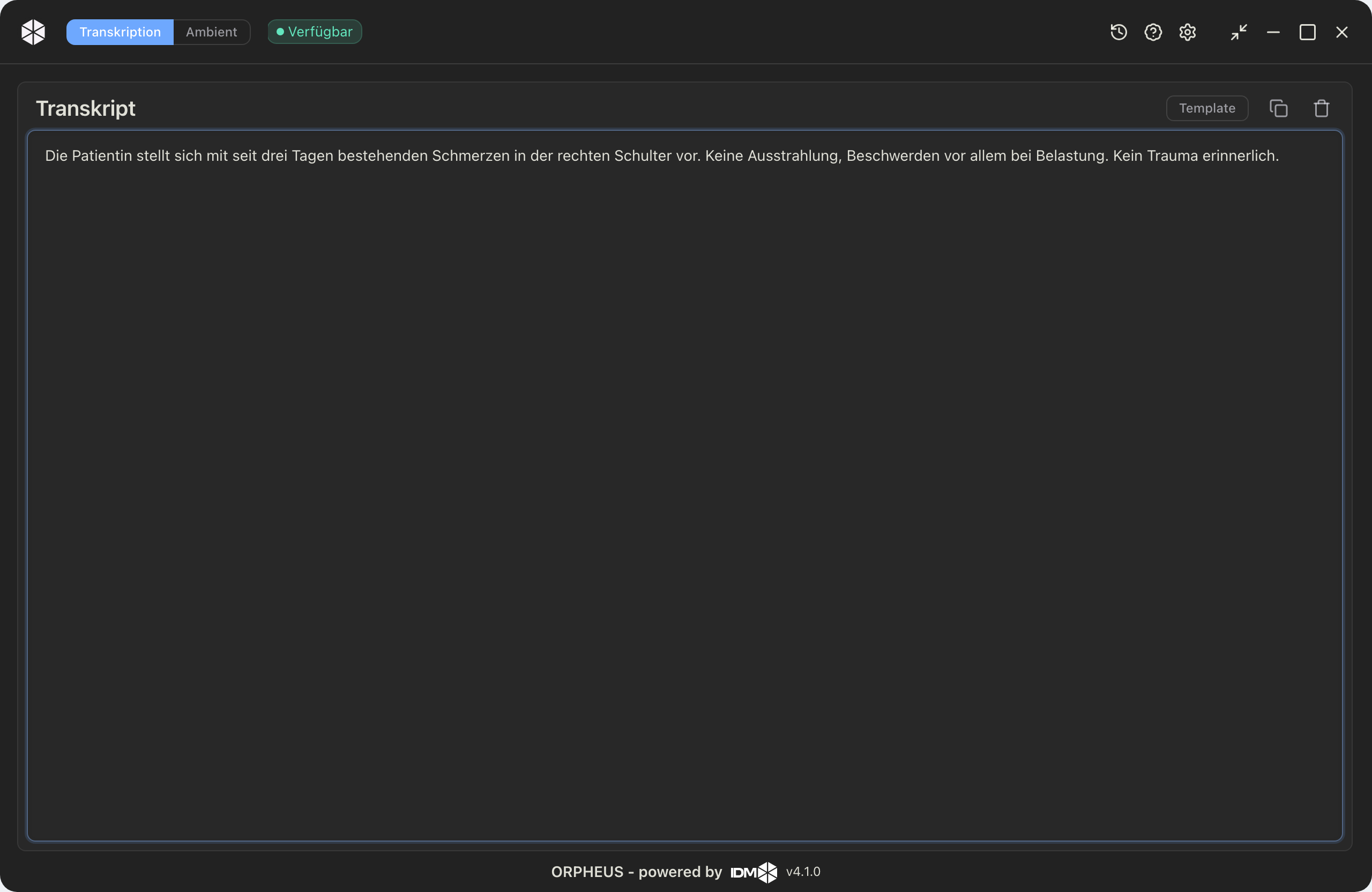
The transcript lands in the editor and can be edited right away.
Documenting the conversation
In conversation mode ORPHEUS records the doctor-patient conversation and automatically assigns each turn to a speaker. This is called diarisation. The dialogue becomes a transcript organised by speaker, which you can play back afterwards and whose speakers you can rename.
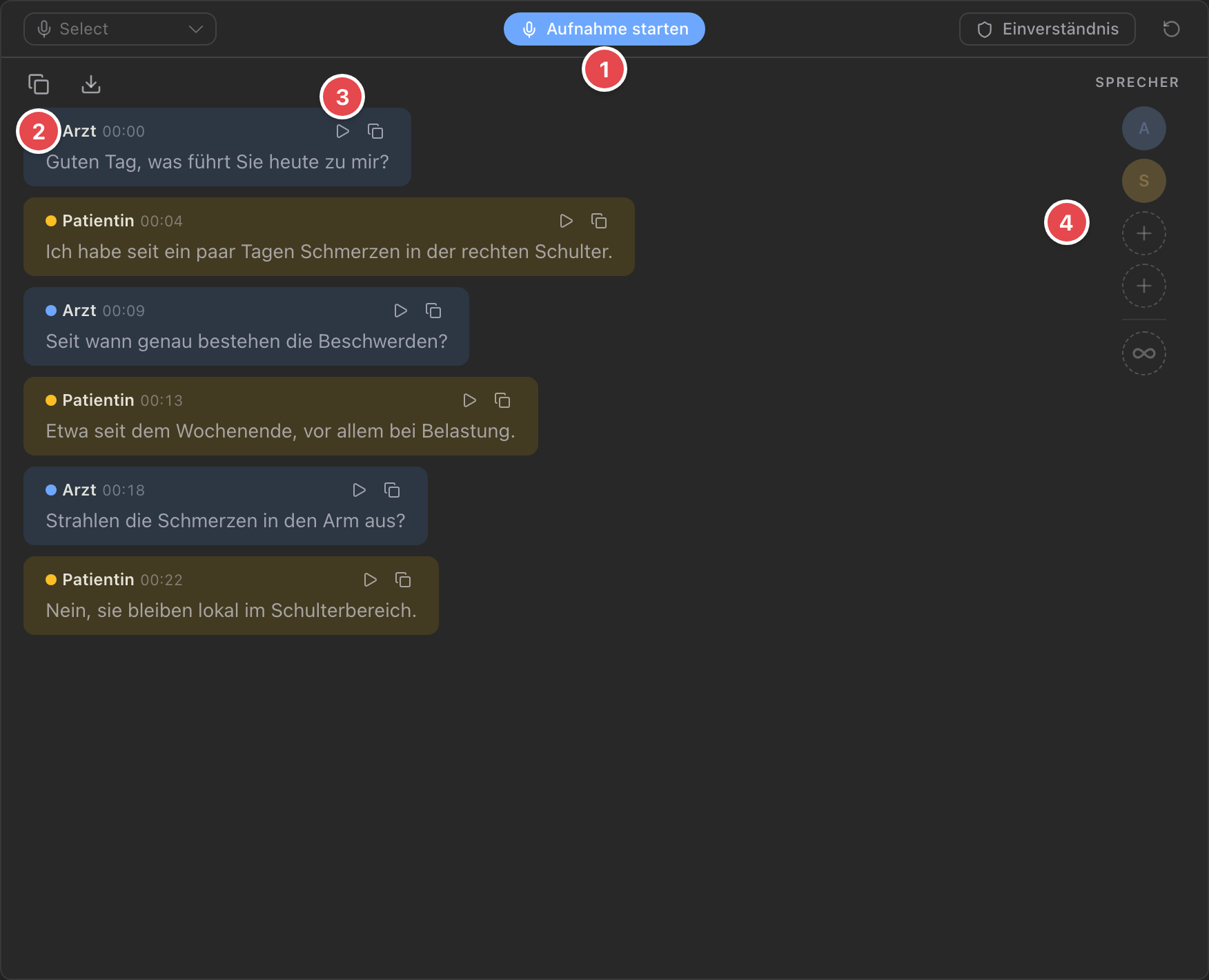
The numbers in the figure:
- Start and stop recording via "Aufnahme starten"
- Each speaker gets its own colour and label
- The playback button replays each segment
- The speaker bar on the right lets you rename and add speakers
So that ORPHEUS can tell your voice apart from the other person's, you set up a voice profile once per microphone. The voice recording stays on your device for speaker recognition.
From the conversation, the AI generates a structured document at the press of a button, based on the chosen template. In auto mode the summary keeps updating while you talk. Under "what's still missing" ORPHEUS lists which details foreseen by the template have not yet come up in the conversation, sorted by importance. At a glance you see what you still need to ask.
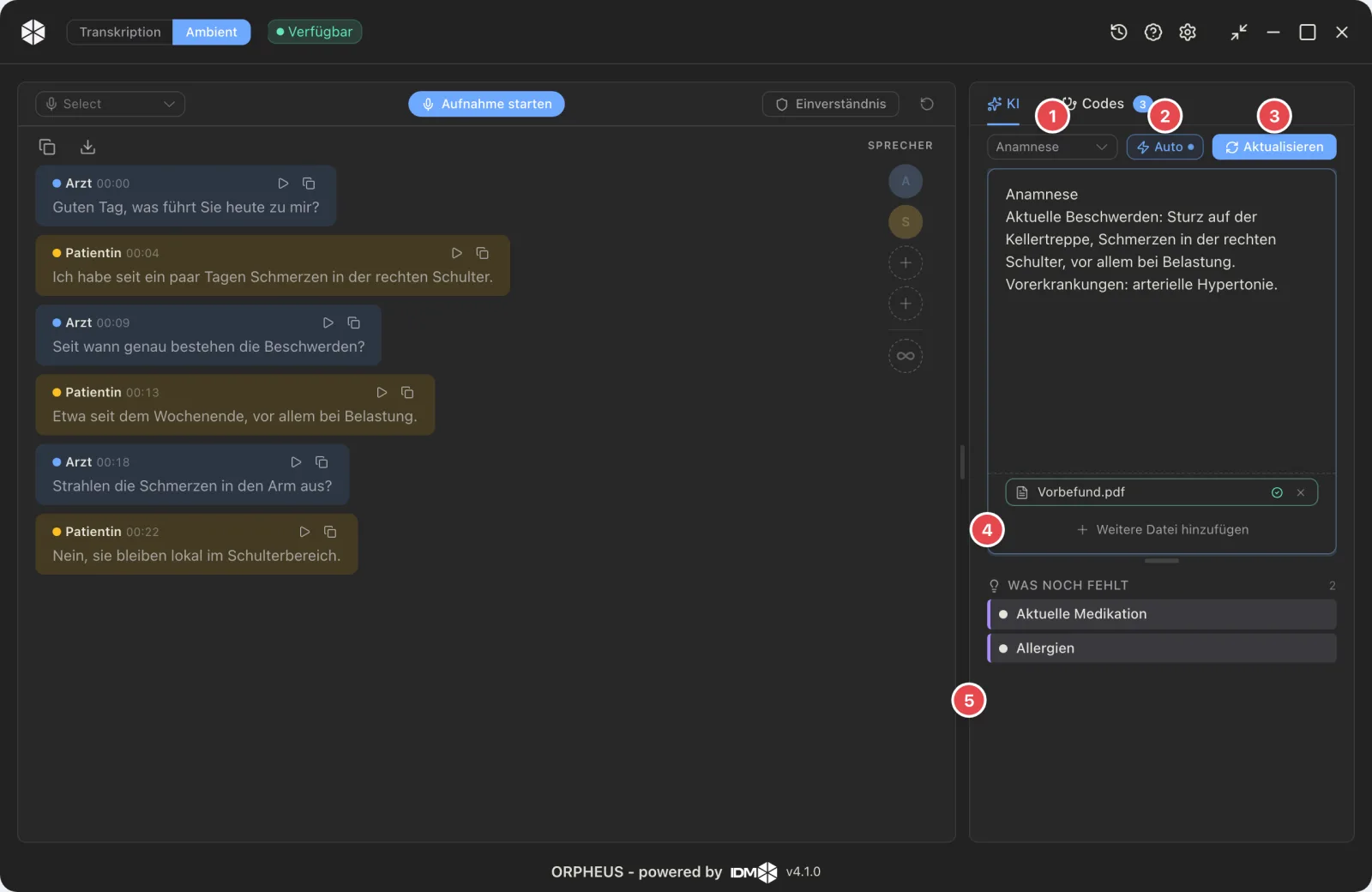
The conversation stays visible on the left, the filled document forms on the right. The numbers in the figure:
- Choose the template to fill (e.g. "Anamnese")
- Auto mode, then the summary keeps updating during the conversation
- Regenerate the summary manually
- Attach a file or screenshot (e.g. a prior finding); the recognised content is included
- "What's still missing" shows, sorted by importance, which template details are not yet covered
ICD suggestions and sources in the conversation
Based on the conversation, ORPHEUS suggests matching ICD codes, in the "Codes" tab and each adoptable with one click. The decision stays with you.
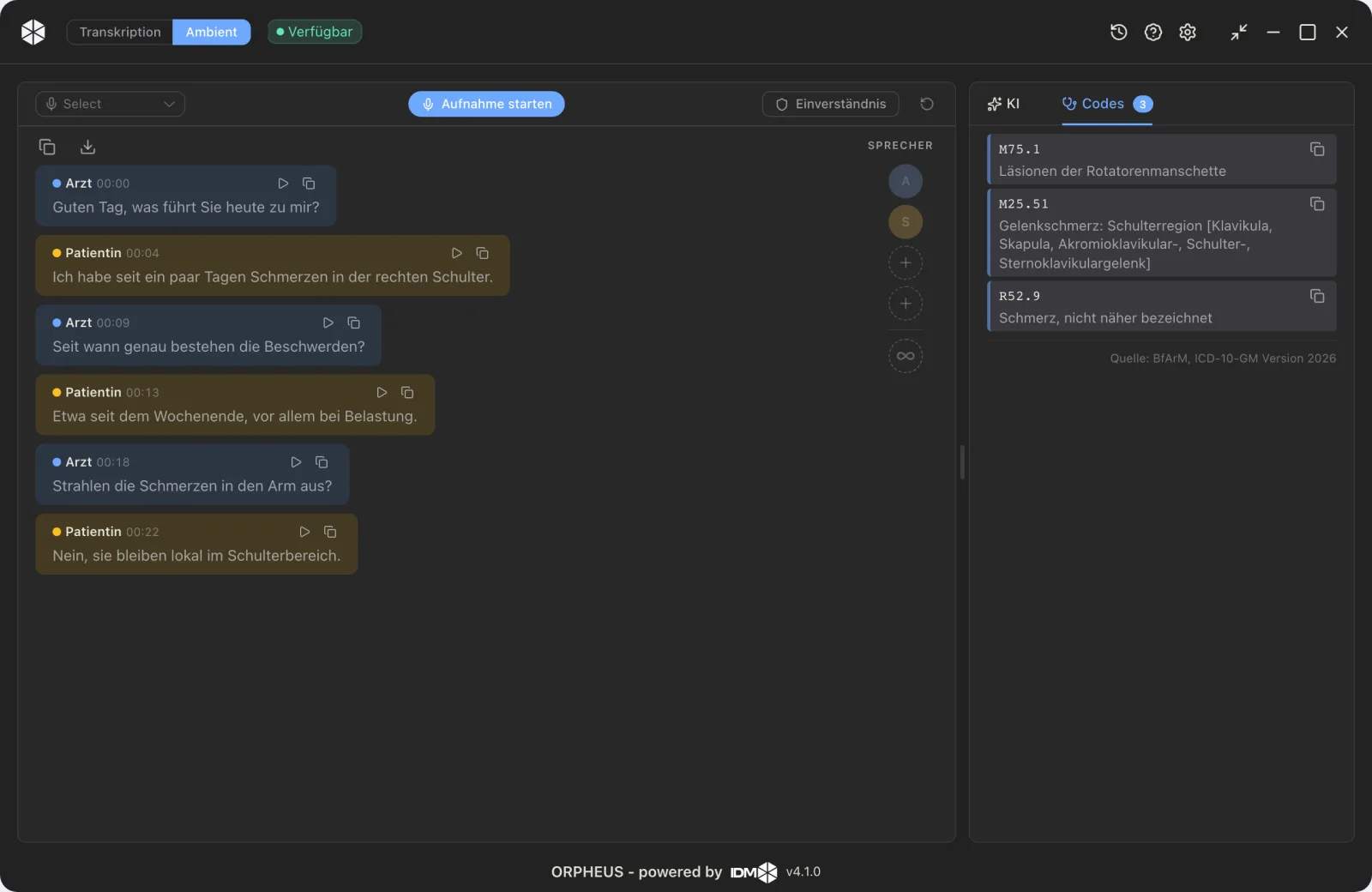
ICD suggestions drawn from the documented content, a suggestion and not an automatism.
When you select a sentence in the summary, ORPHEUS highlights the place in the conversation the information came from. That is especially helpful in long conversations, to check individual statements quickly.
Templates, set up once and shared
Templates are structured document templates with placeholders and instructions for the AI. From a free dictation or conversation they produce a filled, consistent document. System templates such as history, discharge letter or handover are ready to use. You create your own templates and share them with your organisation, filtered by specialty and language.
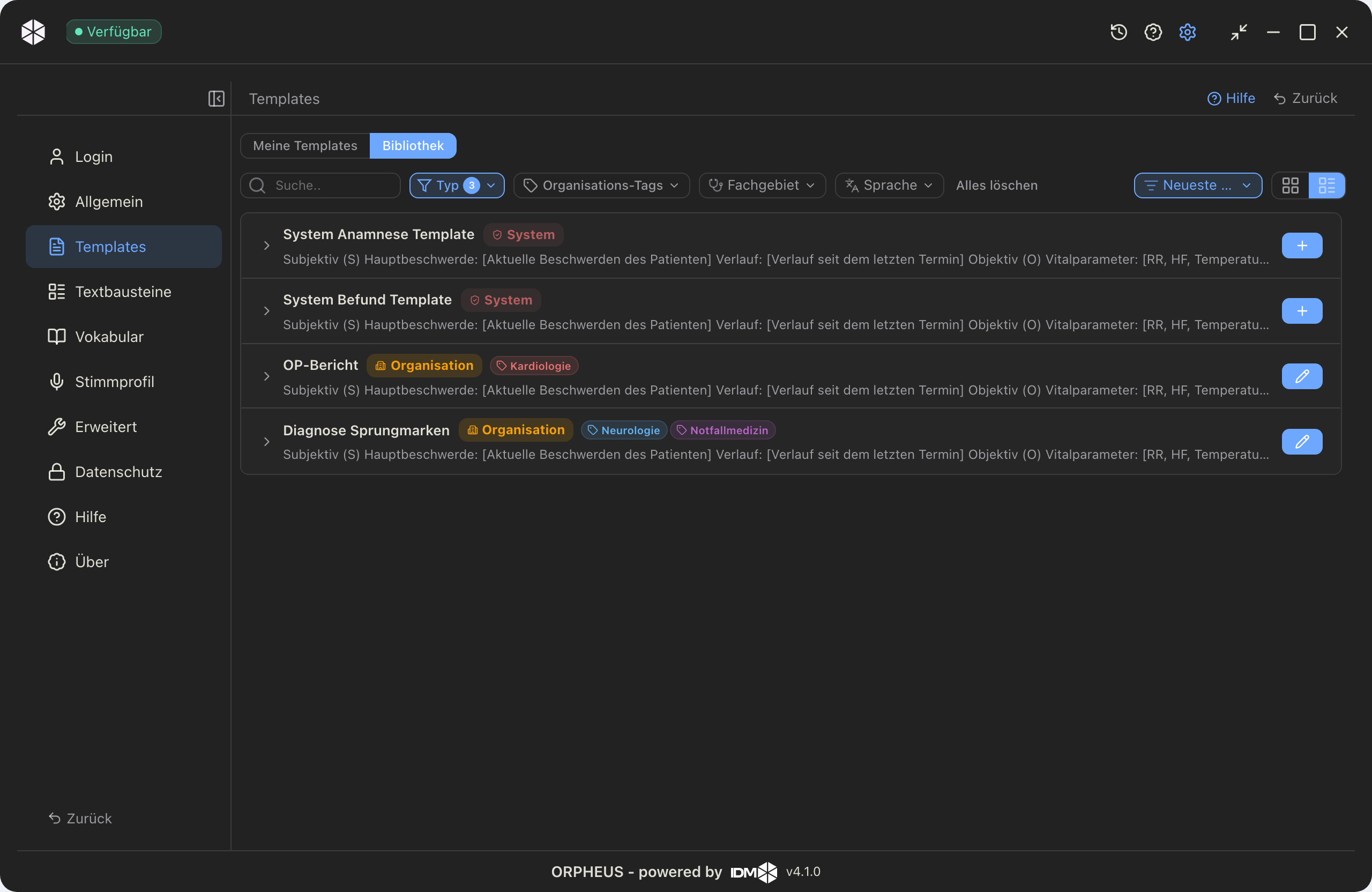
From the library you adopt a template with one click. It is stored as your own copy and can be adjusted.
Vocabulary for clean spelling
You store technical terms, proper names and unusual spellings in the vocabulary. ORPHEUS then automatically uses the correct spelling, which lowers the correction effort. You add a term in the settings or directly from the editor by right-clicking.
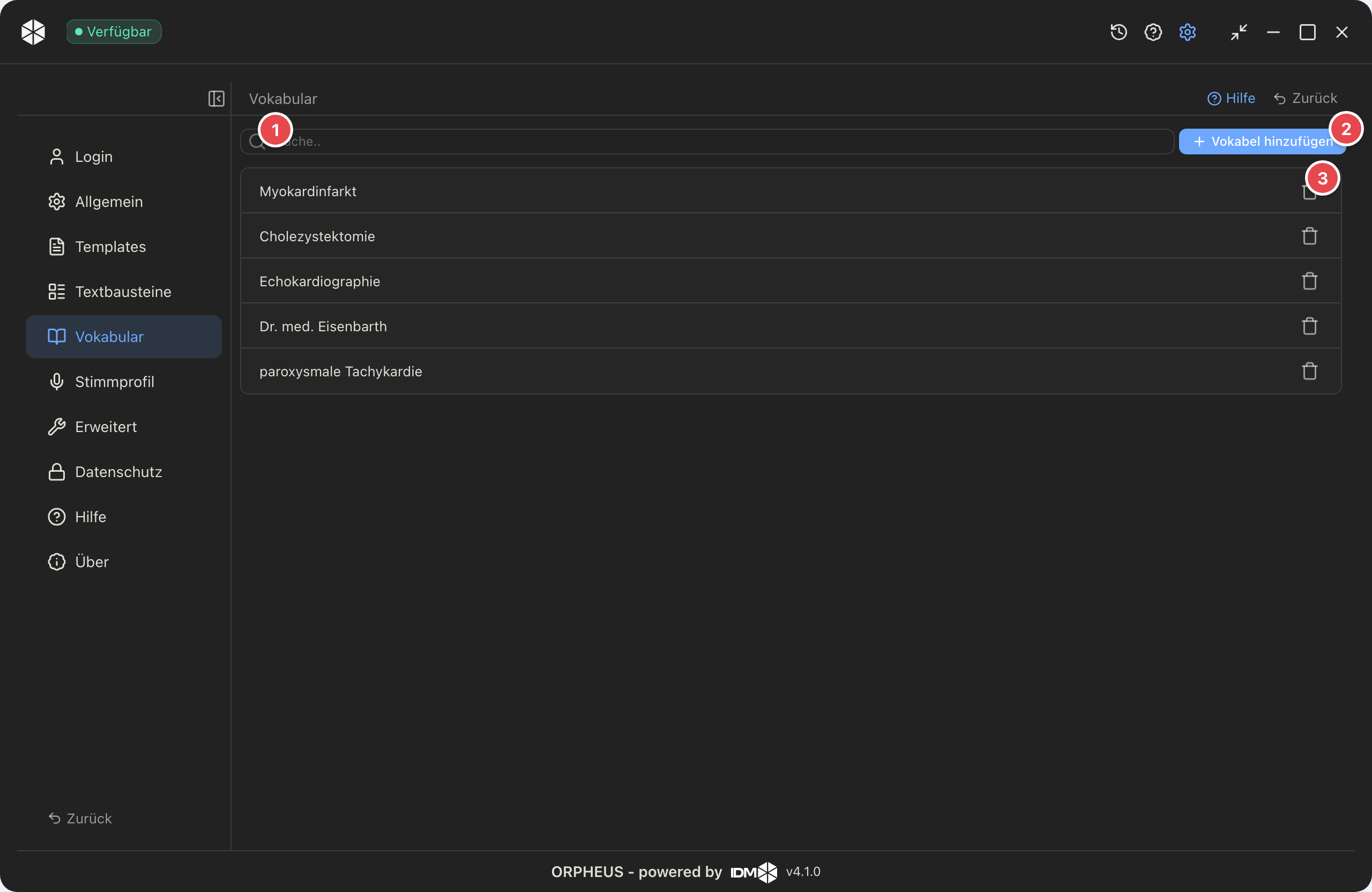
Stored terms are written consistently and correctly from then on. The numbers in the figure:
- Search for an existing term
- Add a term
- Delete a term via the trash icon
Privacy and sovereignty
ORPHEUS runs hosted in Germany, on request in your own data centre – designed for GDPR-compliant use. The data stays in Germany, and in your own data centre it never leaves the building. Whether recordings may be used to improve the model is your decision in the privacy settings. The history, too, is only stored if you enable saving.
Mobile and updates
ORPHEUS comes as a desktop client and as a mobile app. The client updates itself, a new version roughly once a month. What you record on the go you find again through the history at your workstation and process it further with a template.
Learn more
Why the leap from dictation to ambient documentation matters is covered in How AI documents the doctor-patient conversation and in the product announcement ORPHEUS now understands whole conversations. The full solution, including pricing, is on the ORPHEUS product page.
About the author

Nils Schweingruber
CEO & Mitgründer, IDM gGmbH
Facharzt für Neurologie, CEO und Mitgründer der IDM.
LinkedIn →Related Posts
How AI documents the doctor-patient conversation
Ambient documentation listens to the conversation and turns it into a structured note. How the technology works, what matters for GDPR and hosting, and where ORPHEUS stands.
perspectivesORPHEUS now understands whole conversations
ORPHEUS now writes along while you talk to your patient. Ambient documentation, a template library, and mobile apps. Our biggest update yet.